Everything in Terra Vitae is made in one place: Terra Vitae Studio, the editor the game is being built in. The worlds, their plants and stones, and the animals are all made there. The plan is for the Studio to come out alongside the game, so you can make your own too. Here’s a tour of it today, with a short video for each of its three editors.
 Work in progress · Studio
One app, three editors
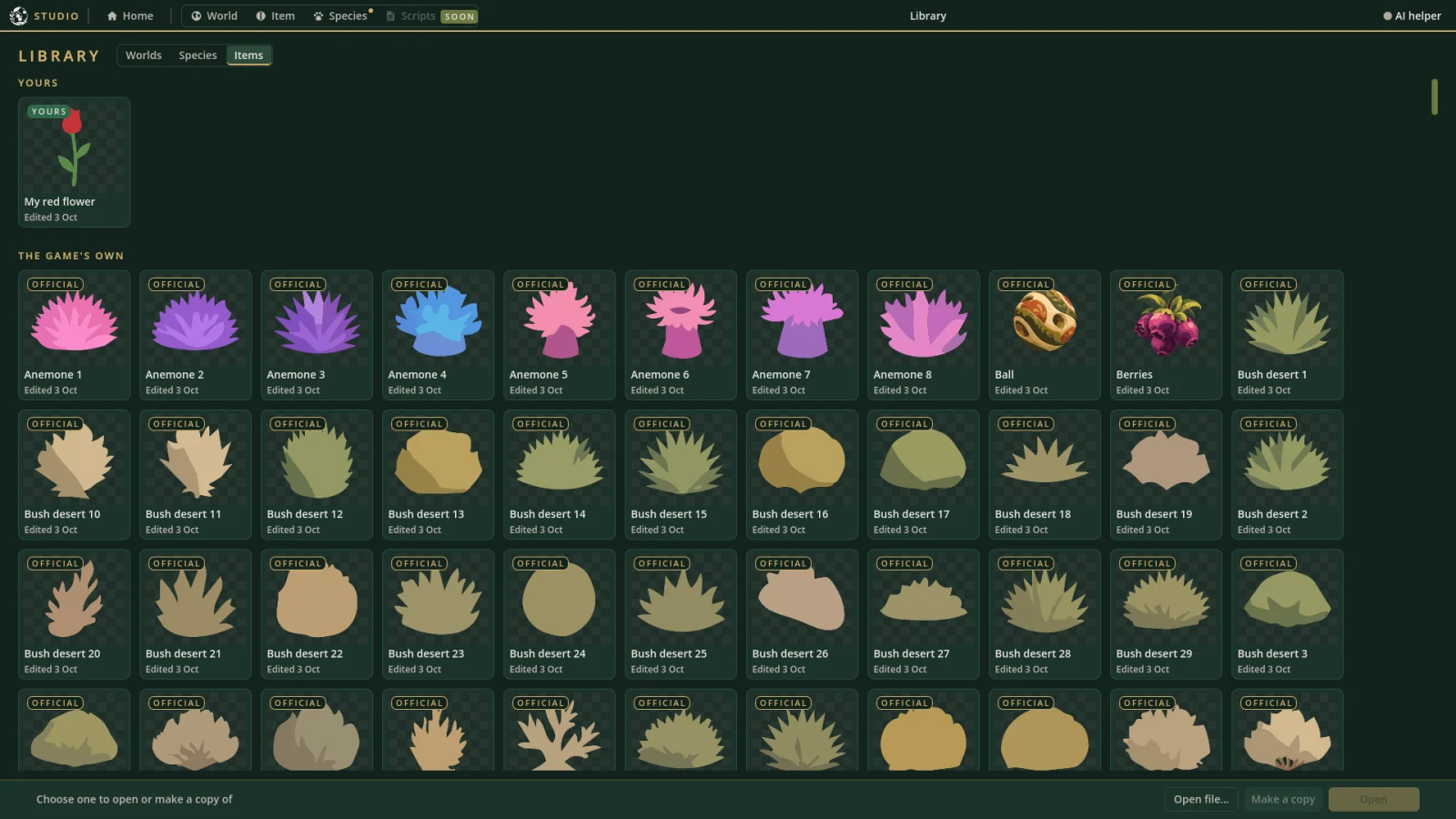
The Studio opens on a start menu in the game’s own look. From there you can start a new world, species or item, or open the Library, which lists everything there is to edit: the game’s own worlds, species and items, and your own beside them.
Every card in the Library carries a badge saying where it’s from. The game’s own are official. What you make or change is yours. Things made by other people are third party. In the Studio players get, saving one of the game’s own keeps your changes as a copy of your own, and the original stays as it was. (These pictures are from the development version, which is why some say DEV.)
Across the top are the editors: World, Item and Species, with Scripts marked “soon”. All three work the same way: sections down the left, a canvas or preview on the right, and every change can be undone and redone.
Editing worlds
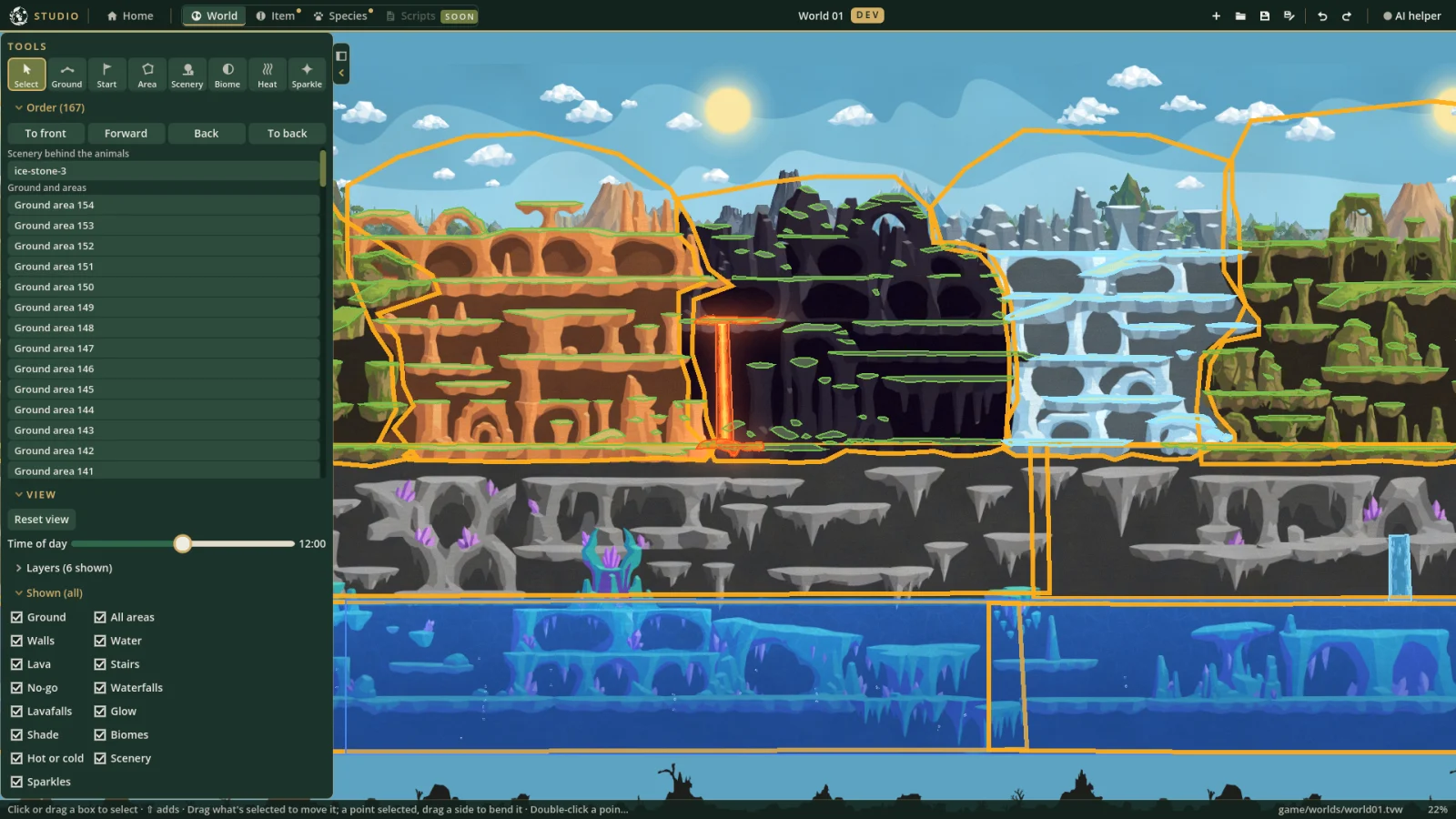
The first world, World 01 in earlier posts, has a name now: Telluria (the Studio still says World 01 for now). It’s a big world that wraps round at its edges: jungle, desert, volcanic caves, ice, crystal caverns and a lake underneath, all painted in layers.
On top of the painting, the world editor is where you say how the world works:
- Ground is what the animals walk on. You draw it as a line, or as a solid area whose top is walked along and whose steep sides are walls.
- Areas are water, waterfalls, lava, lavafalls, stairs, walls, glow, shade and places the animals can’t go.
- Biomes say what kind of place somewhere is (jungle, desert, ice and snow, volcanic, underground, aquatic, or underground water), and hot or cold places make a spot warmer or colder than the biome around it.
- Scenery is the plants, stones, logs, rocks and trees placed in the world.
- Sparkles make painted crystals glint now and again.
The tools
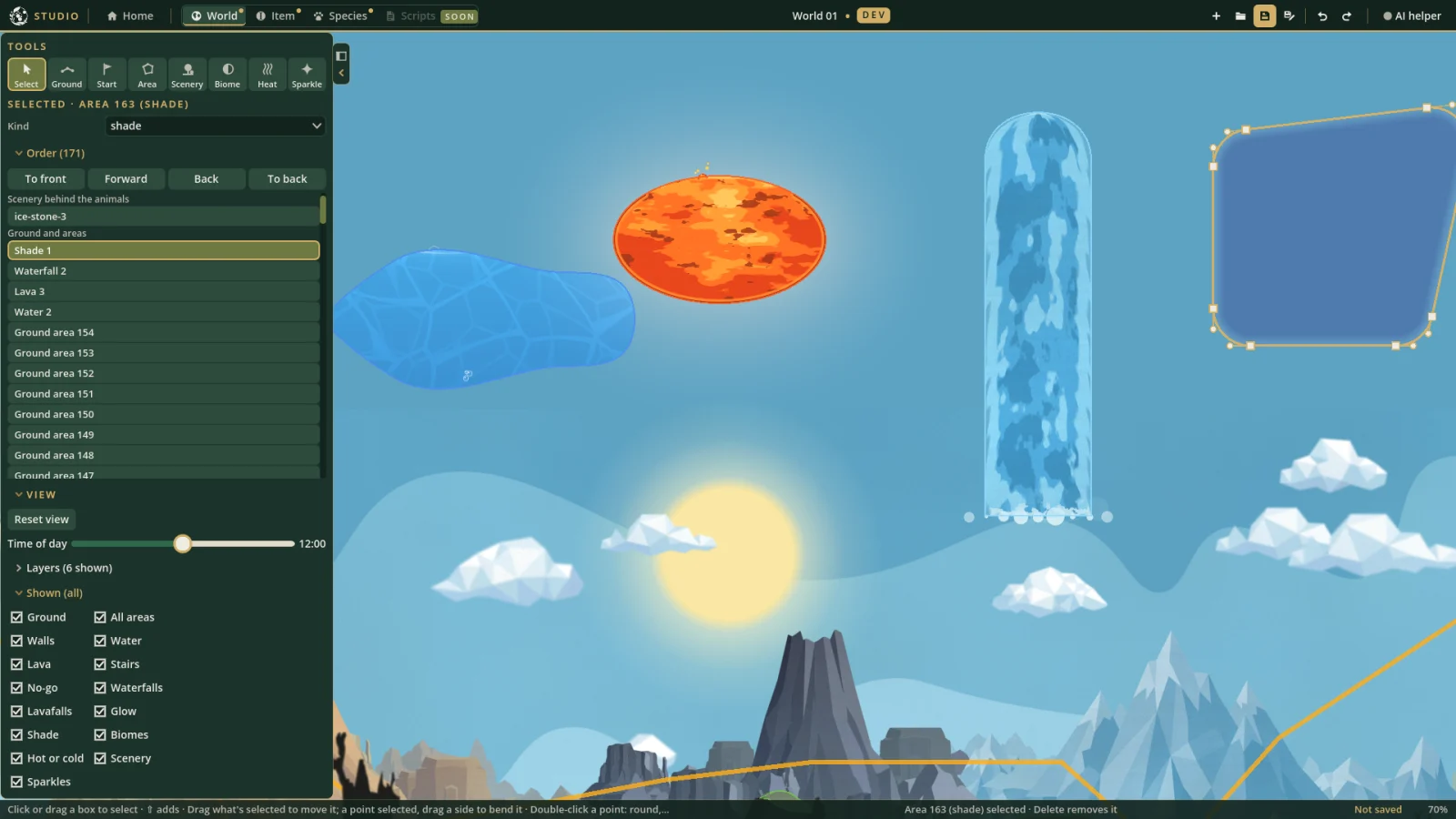
- More ways to draw. Shapes can be drawn with the pen (a click for a corner, a drag for a curve), freehand, as a rectangle or as an oval, and ground as a perfectly level line. A freehand line is smoothed into a curve when you let go.
- A rubber band shows where the next side will go as you move the pointer, and holding ⇧ keeps it level, upright or at 45°.
- Undo while drawing takes back the last point, not the whole shape.
- Moving and bending. Drag a shape to move it whole, drag one of its points, or drag a side to bend it into a curve. Round corners rounds every straight corner of a shape at once.
- Order. What’s drawn in front of what can be changed with ⌘[ and ⌘], or by dragging rows in the Order list.
- Shown hides a kind of shape while you work on the rest.
- The time of day slider, to see the world by night.
 Work in progress · Studio
Scenery from the sprite sheets
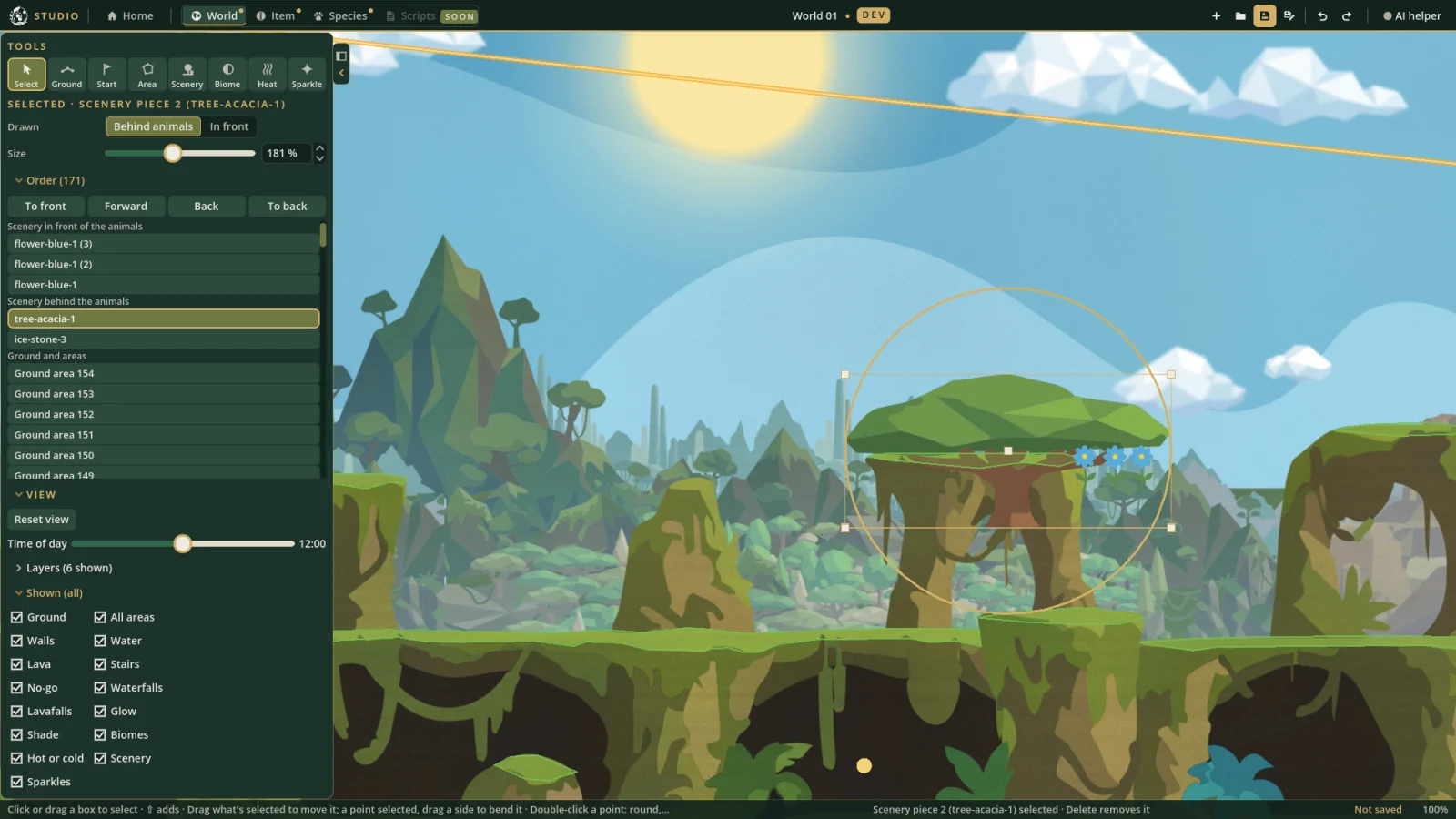
The stand-in scenery is gone. In its place, every sprite on the game’s three hand-drawn sprite sheets (debris, rocks and trees) is an item of its own: 1,222 of them. Flowers, grass, stones, logs, cacti, corals, rock arches and trees, each at a size that fits the world.
In the Scenery tool they’re grouped by kind, and you can type a word or two to find one (“acacia”, “red flower”). Each piece is sized by dragging its corners or with a slider, and goes in front of the animals or behind them as its kind belongs: flowers and stones in front, trees and rocks behind.
 Work in progress · Studio
Editing items
Items are the things in a world: food, toys like the ball, and now all that scenery. The item editor shows what an item is made of: its size, how it behaves in the world (whether it floats, rolls, or is scenery that never moves), its drawing, and how it lives.
Some items move. Grass, bushes, reeds, seaweed, anemones, sea plants, sedge and trees sway, each at its own pace, and a tree’s canopy stirs while its trunk stays still. The Studio shows an item’s rig (the parts its drawing is cut into, and where each one turns) and plays the sway in the preview.
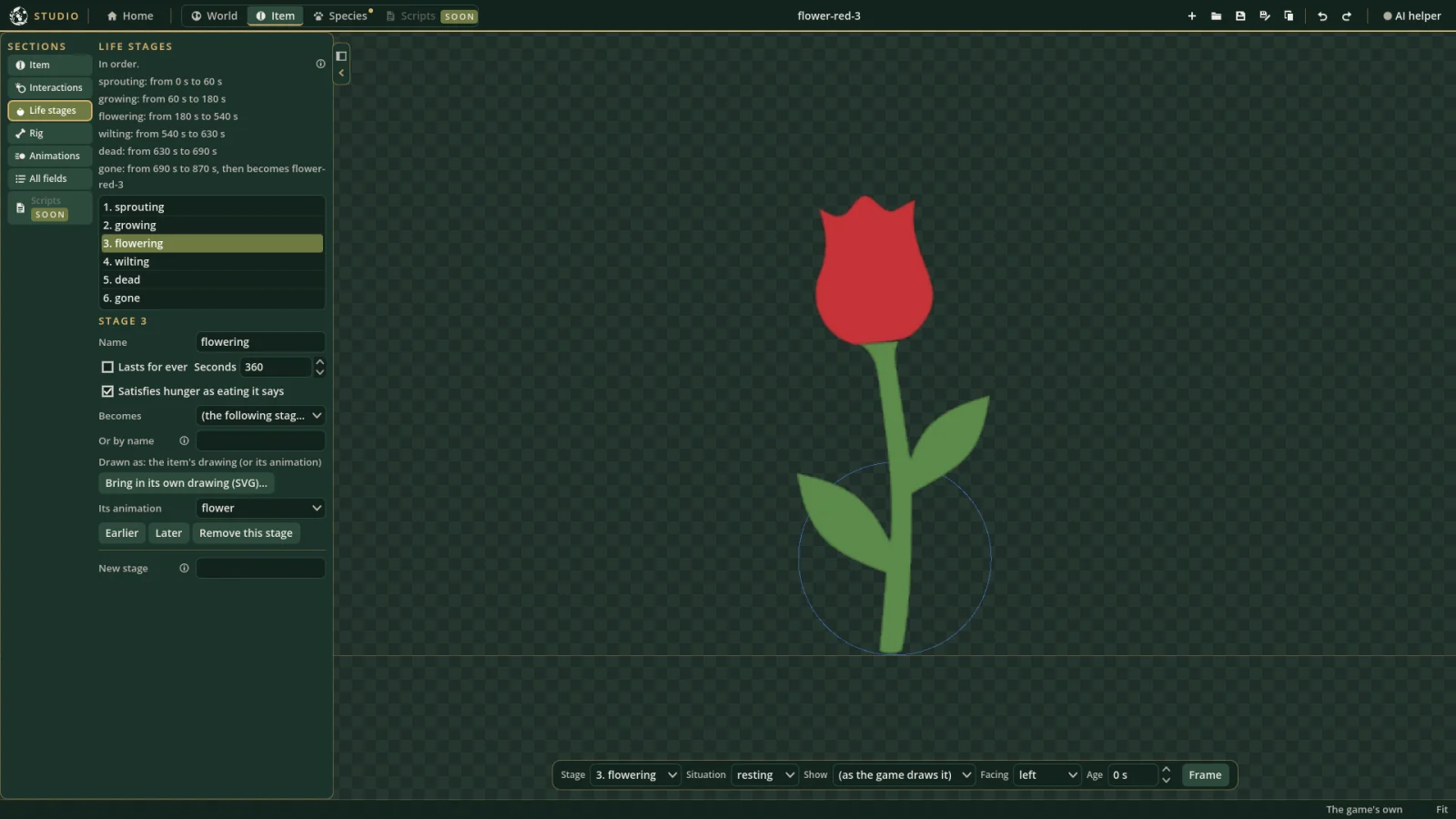
Flowers go further: they have life stages. Each one sprouts, grows, flowers, wilts and dies, then starts again, round and round on the world’s clock. How long each stage lasts can be changed in the editor.
 Work in progress · Studio
Every item also says its kind, the set it came from, its tags, and where it’s from. In the video, a flower is given a name of its own and saved: it shows in the Library badged as yours, and straight away in the Scenery tool under Yours, ready to place.
 Work in progress · Studio
Editing species
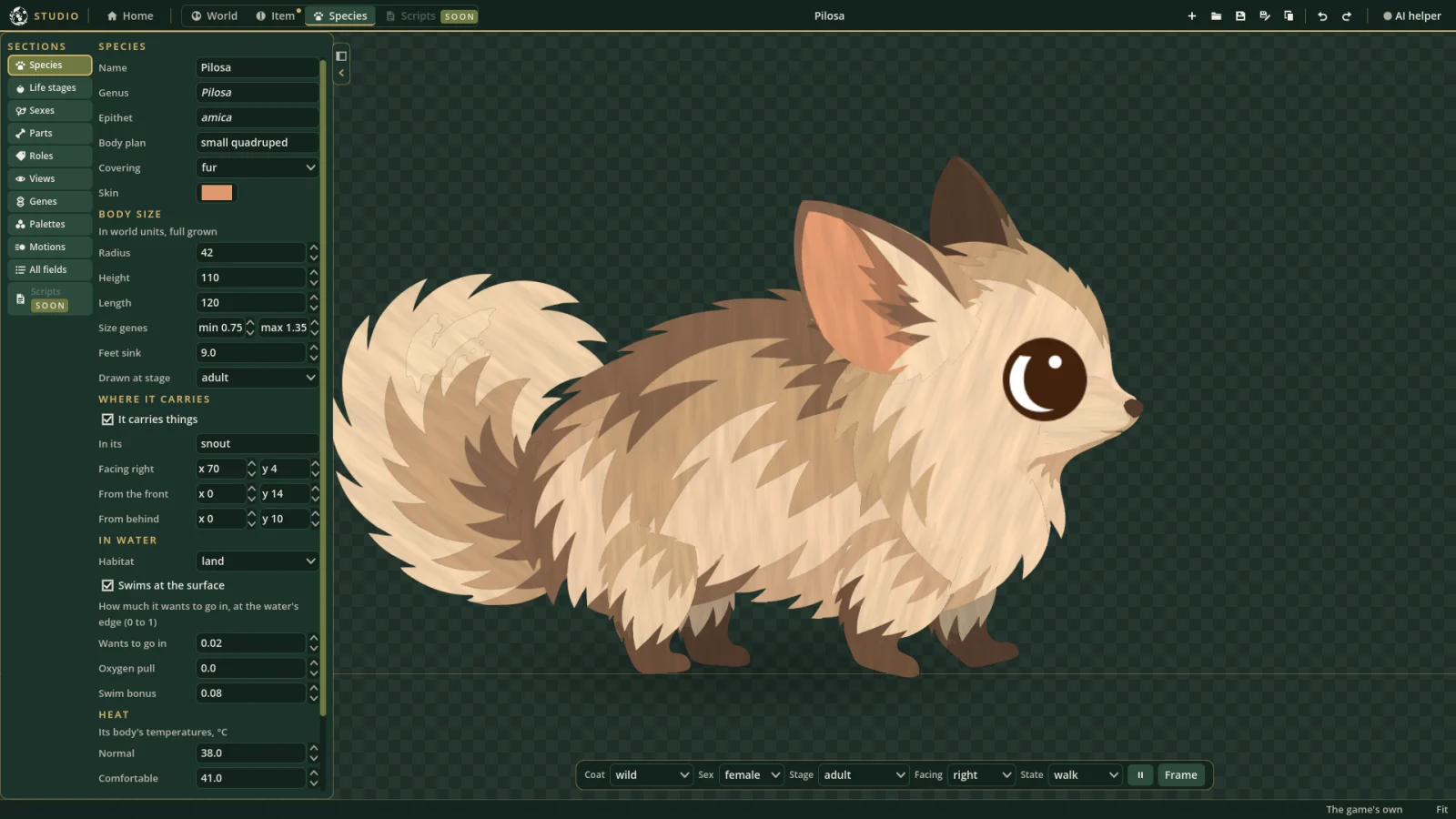
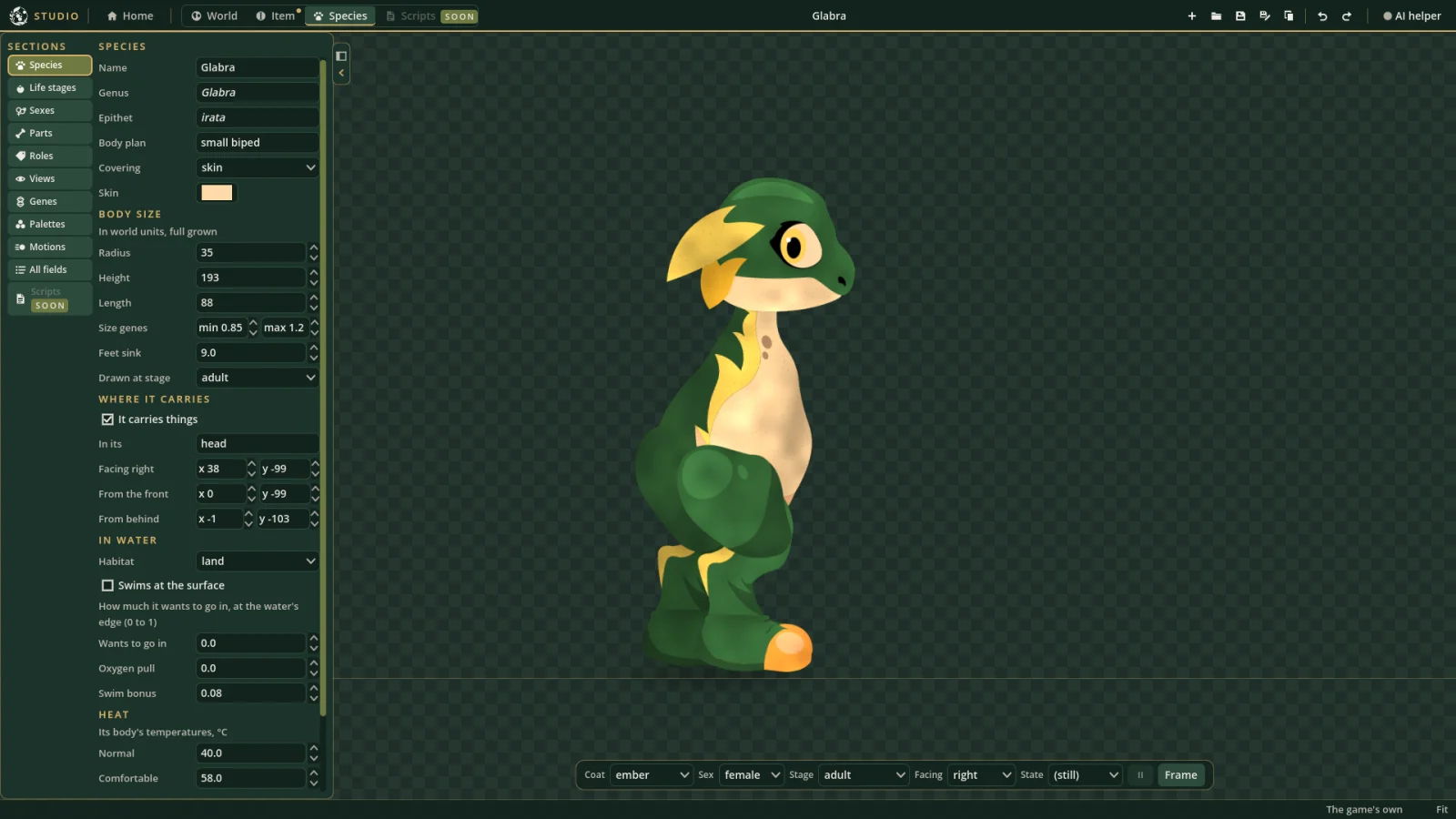
The species editor is where the animals are put together. The Pilosa and the Glabra are both in it.
A species has:
- Its names, including its scientific name, genus and epithet: Pilosa amica and Glabra irata.
- Its body: its size, the range its size genes keep to, where it carries things, how it takes to water, and the temperatures it likes.
- Life stages, from baby to ancient, each with how long it lasts, its size and its speed.
- Sexes, each with its own drawings and layout at each stage.
- Parts: the hand-drawn pieces its body is made of, each placed, pivoted, turned and layered, from the side, from the front and from behind.
- Genes: each one’s wild type, how it shows, and the range it keeps to.
- Palette sets: each coat’s light, mid and dark pigments.
- Motions: how its parts move when it walks, hops, eats, sleeps and so on.
The preview plays any of its motions, from any side, in any coat, at any stage. Step the Glabra through its stages and you can see its young change colour as they grow up.
 Work in progress · Studio
As with items, Make a copy in the Library gives you a species of your own to change, badged as yours: in the video, a copy of the Glabra gets an epithet of its own.
 Work in progress · Studio
Where it’s going
- Scripts. The Scripts tab is a placeholder for now. Next up is a scripting engine: items will carry small scripts saying what they do and how they react to the animals and to you, boxed in so they can only do what the game allows, with a Catalogue for adding them to a world. Later, species’ settings could move into scripts too.
- The first critters: small fish that swim in schools, planned to follow the scripts.
- More species, and more tools for building new species and addons.
As always, this is a development preview. The Studio, the art and the worlds will all keep changing.


