Animals used to get into a world through a list of species: pick one, and a grown animal appears. That’s gone. Animals now arrive as eggs from the hatchery, and moving an animal between worlds has been reworked so it can only be in one place at a time.
The hatchery
The Hatchery button on the bottom bar opens a cave with ten pedestals, each holding an egg. The species of each egg is random, and so are the genes inside it. The game never shows genes, so you’re choosing on the look of the egg and its species name. The panel at the bottom gives that species’ description, and a carousel under it lists all ten eggs.
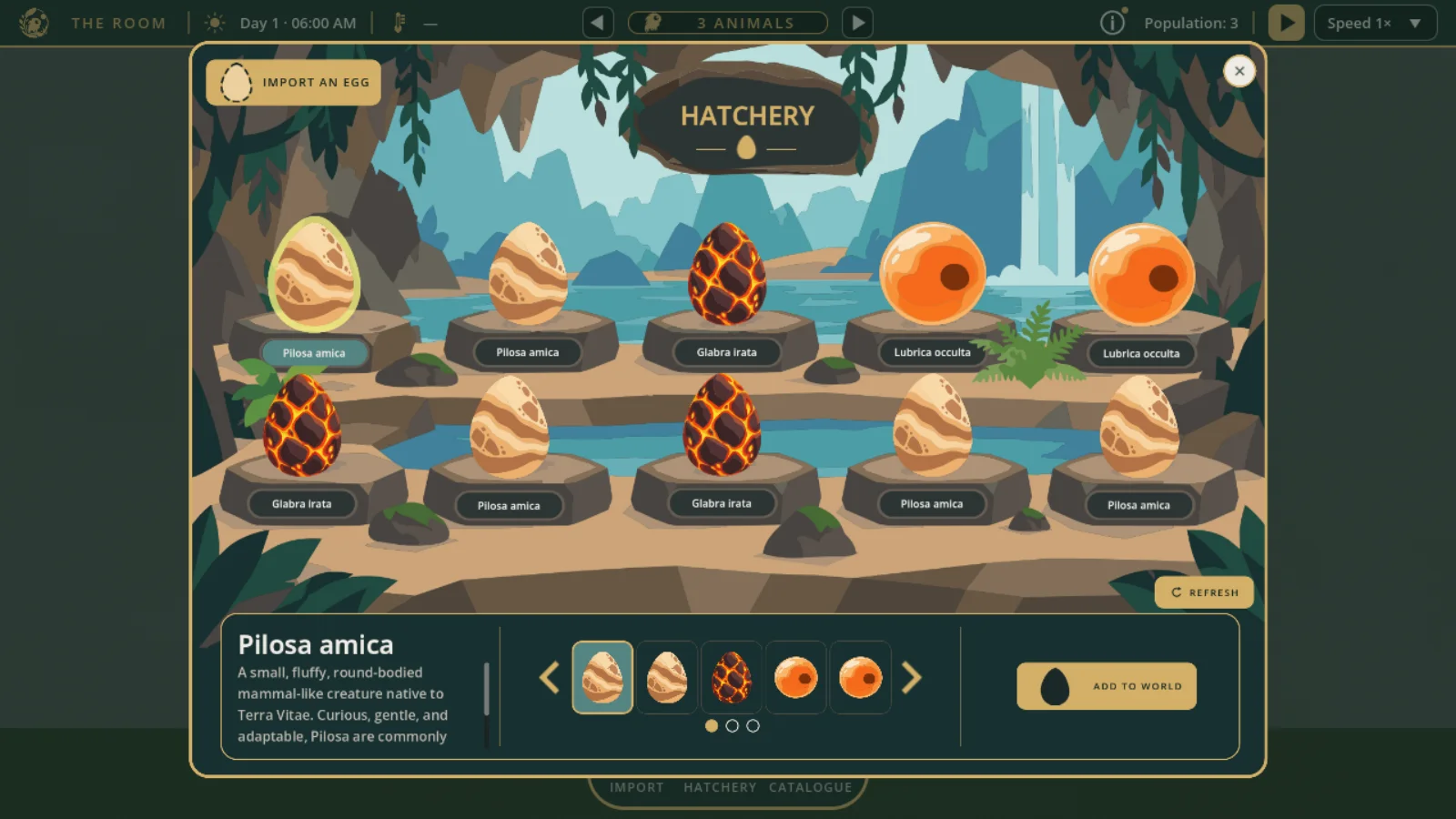 Work in progress · in-game
Refresh rolls ten new eggs, as often as you like. Add to World closes the hatchery and puts the egg in your hand. You carry it into the world and drop it where you want, on land, in water or in the air, and it hatches by the usual rules for eggs: it needs the right conditions and some time, and it waits if they aren’t right. The first egg of a species you drop also brings that species into the world, so there’s no separate step for it.
The world is paused while the hatchery is open. Hatchery and Import are both disabled when the world is at its population cap, and while your hand is already holding something.
Export and import
Export used to copy an animal to a file and leave it in the world, so you ended up with two. Now Export, in the animal’s details window, writes the file to your Animals folder and removes the animal from the world.
Import, on the bottom bar, replaces the old Species window. It lists the animal files in that folder, which you can filter by species or search by name. Select one and the animal appears in a stasis chamber in its own colours, moving about, with its name, species, sex, life stage and the species description beside it. Add to World puts it in your hand. Once it’s in the world, the file is deleted.
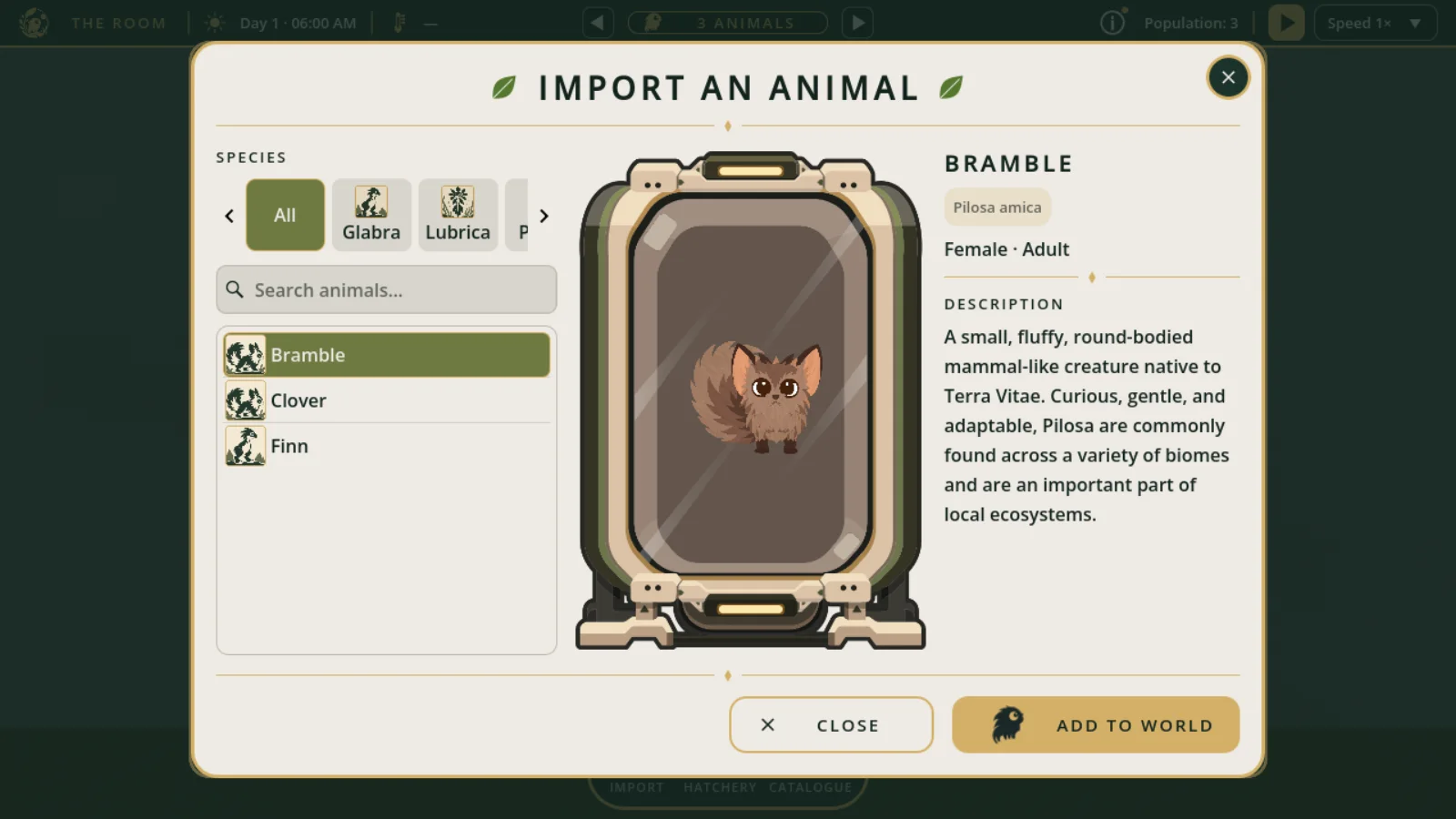 Work in progress · in-game
Files that can’t be read, or that are for a species your copy of the game doesn’t have, are listed greyed out with the reason, and can’t be added.
Eggs work the same way. Double-click an egg in the world to see its species and parents, and export it. The hatchery has an Import an Egg button for bringing one back. It arrives with the same genes and the same progress towards hatching. Between them, export and import let you move animals and eggs between worlds, or park one in a file when a world is full.


